Finds versions by itself
From the Mac App Store, Homebrew's public list of about 7,800 Mac apps, and each app's own update feed. No hand-kept database to fall behind, and every app says where its answer came from.
[ pixellabs presents ]
AppPatch finds the newest version of every app on your Mac, says which updates fix security problems and how long they’ve been waiting, and installs each one only once it has proved it’s genuine. Checking is free. A licence, £1.99 once, installs them, on a schedule too.
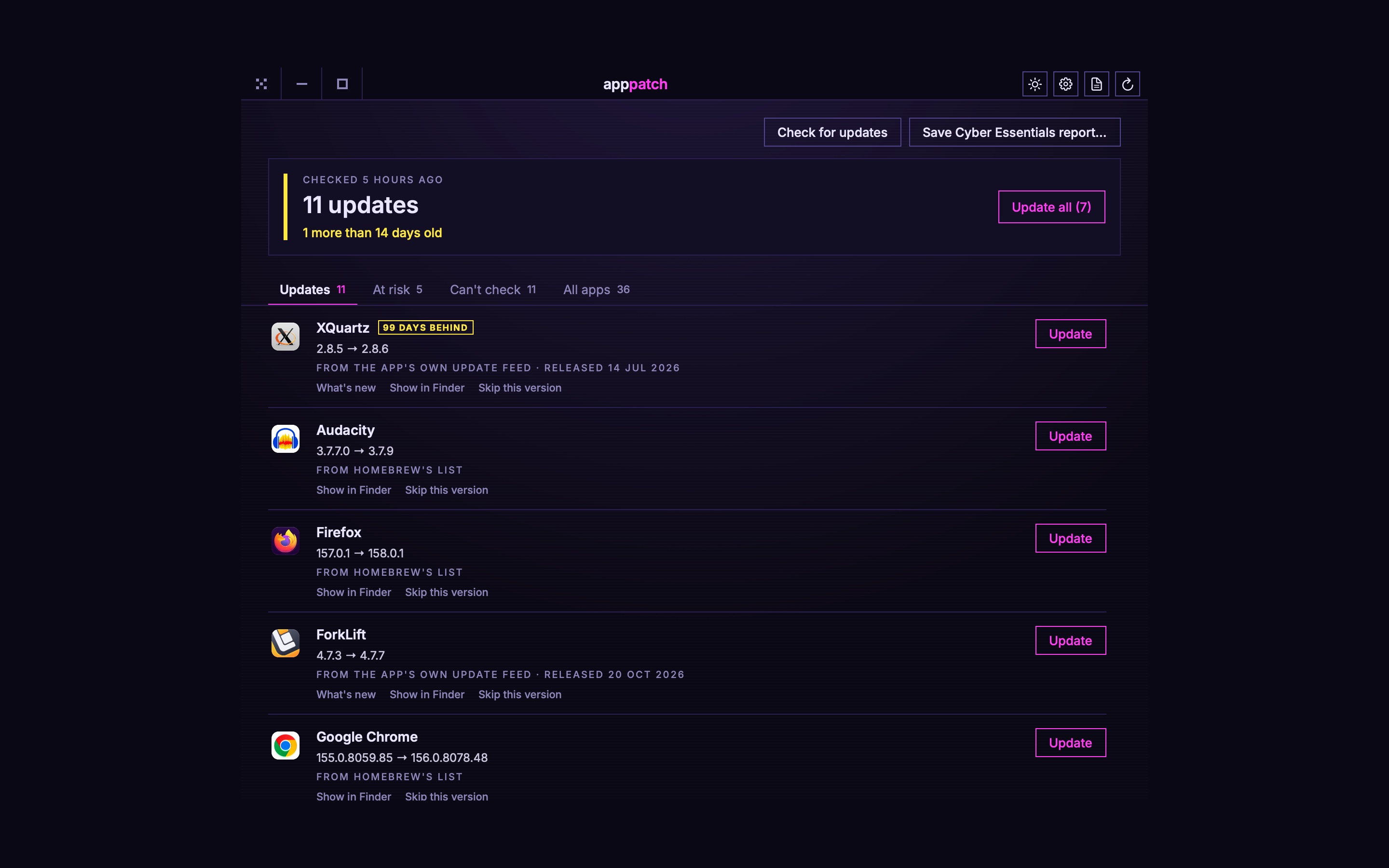
One click, or once a day by itself, and every app on the Mac is looked up. Nothing is sent but the lookups.
Updates first, security fixes at the top, with how long each has been out and what's new in it.
One app or all of them, or on a schedule, each one proved genuine before it goes in. The old version goes to the Bin.
[ what it does ]
From the Mac App Store, Homebrew's public list of about 7,800 Mac apps, and each app's own update feed. No hand-kept database to fall behind, and every app says where its answer came from.
The download has to match its published checksum or the developer's signature, and the app inside has to be intact, the same app, from the same developer, and newer. Anything that fails is left alone.
Updates that fix security problems, new major versions (often paid, so never part of Update all), apps with no new version in two years, and apps that will stop working when Rosetta goes.
A report for the security update check: every app, how far behind it is, and how macOS itself is kept up to date, with a spreadsheet of the same for the assessor.
Every day or every week at a time you choose. It leaves new major versions, open apps and anything that needs your password for you, and a notification says what it did.
It asks about versions and downloads updates, and that's all. No list of your apps leaves the Mac: Homebrew's list is downloaded whole and matched on it.
[ free, or licensed ]
One licence is you, on up to 3 of your Macs, for every AppPatch 1.x. No subscription, no account. The price includes any VAT or sales tax due where you live: Stripe sells it on PixelLabs’ behalf and takes care of that, so the price you see is the price you pay.
Your key is on the page the moment payment completes, and in an email. Paste it into AppPatch’s settings, under the gear. It works offline and is yours to keep.
[ what it can't do ]
An app none of those sources knows goes on Can't check, rather than being called up to date.
App Store apps, installer packages and apps that only update from inside are opened for you rather than replaced.
The report helps with the Cyber Essentials update check. Passing is down to the whole of it, and your assessor.
[ in the app ]
[ installing ]
The first time only, macOS needs telling that AppPatch is allowed.
Open AppPatch.dmg and drag AppPatch onto the Applications folder beside it.
Double-click AppPatch in Applications. macOS says it can't check it for malicious software, because it isn't signed with a paid Apple certificate. Choose Done, not Move to Bin.
System Settings → Privacy & Security, scroll down to Security, and click Open Anyway beside AppPatch. Confirm with Touch ID or your password, then Open.
Or, if you're happy in the Terminal, this does steps 2 and 3 in one go:
xattr -dr com.apple.quarantine /Applications/AppPatch.app
[ questions ]
Checking is free, for good: every app, every update, the security flags and what's new. The licence, £1.99 once, installs the updates, one at a time, all at once or on a schedule, and adds the Cyber Essentials report. AppPatch can always update itself either way.
Up to three of yours. It's one person, on up to 3 Macs they use, for every AppPatch 1.x. The same key goes into each, and nothing counts them: it's on trust. For more Macs than that, buy another licence.
No. The key is checked on the Mac it's typed into, with no account and nothing sent anywhere.
It's in the email you were sent, and on the page after you paid. If both have gone, email support@pixel-labs.dev from the address you paid with.
Quit it from the arrow in the menu bar, drag AppPatch from Applications to the Bin, and delete the folder dev.pixel-labs.apppatch from ~/Library/Application Support.