The wallets people use
Addresses starting bc1q (native SegWit) and bc1p (Taproot), and the older 1 and 3 kinds. Phrases in BIP39, which nearly every wallet uses, and Electrum's own.
[ pixellabs presents ]
You wrote down your Bitcoin seed phrase, but the order got lost. Seed Recovery tries every order of the words against an address from the wallet until one matches, on your Mac alone. Lock the words you’re sure of and it takes seconds.
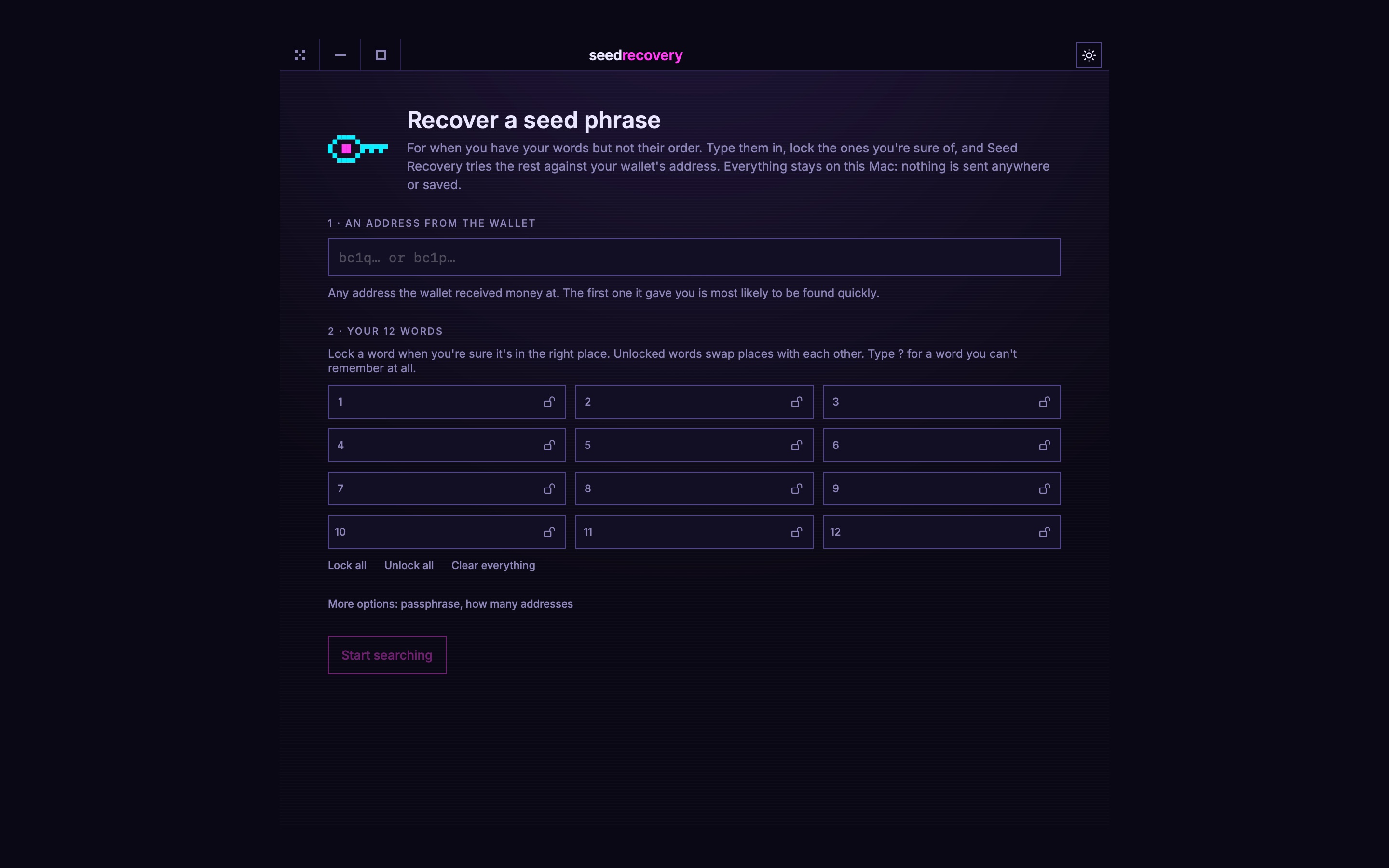
Any address the wallet received money at. The first one it ever gave you is found quickest.
Type them in, in whatever order you have them, and lock the ones you're sure are in the right place.
It tries every order of the rest against the address, and stops the moment one matches.
[ what it does ]
Addresses starting bc1q (native SegWit) and bc1p (Taproot), and the older 1 and 3 kinds. Phrases in BIP39, which nearly every wallet uses, and Electrum's own.
Lock the words you're sure of and only the rest swap places. Each locked word cuts the search sharply: four free words is 24 orders.
Enter it as ? and every word in the list is tried there. With more than one or two, it says how long that would take before you start.
On a 12-core Apple silicon Mac, about 126,000 orders a second for bc1q and 100,000 for bc1p. All twelve words free to move takes about an hour and a quarter.
The words are never saved, and the search runs on this Mac alone. The only connection it ever makes is a once-a-day check for updates, and only if you say yes when it asks.
An optional BIP39 passphrase, how many receiving and change addresses to check, and a search you can pause and pick up again.
[ what it can't do ]
It puts the words you have in order. One or two unknown words is a long search; more than that is longer than anyone can wait.
A phrase can only be confirmed against an address the wallet actually used, and a wrong address means nothing will match.
It finds the phrase and shows it. Moving your coins is done in your wallet, with the phrase it found.
[ installing ]
The first time only, macOS needs telling that Seed Recovery is allowed.
Open SeedRecovery.dmg and drag Seed Recovery onto the Applications folder beside it.
Double-click Seed Recovery in Applications. macOS says it can't check it for malicious software, because it isn't signed with a paid Apple certificate. Choose Done, not Move to Bin.
System Settings → Privacy & Security, scroll down to Security, and click Open Anyway beside Seed Recovery. Confirm with Touch ID or your password, then Open.
Or, if you're happy in the Terminal, this does steps 2 and 3 in one go:
xattr -dr com.apple.quarantine "/Applications/Seed Recovery.app"
[ questions ]
It's built so it can be: the words stay in memory only while it runs, are never written to disk, and nothing is sent anywhere. For the most caution, turn Wi-Fi off before you type them, and move the coins to a fresh wallet once you have the phrase back.
With most words locked in place, seconds. With all twelve free to move, about an hour and a quarter on a recent Apple silicon Mac. With unknown words it can take far longer, and it says so before you start.
No. It's free, with no account and nothing to buy.
Drag Seed Recovery from Applications to the Bin. It keeps no phrases, and only its window and update settings are left in ~/Library/Preferences/dev.pixel-labs.seedrecovery.plist.
Free, for the moment you need it most.