Pages in order
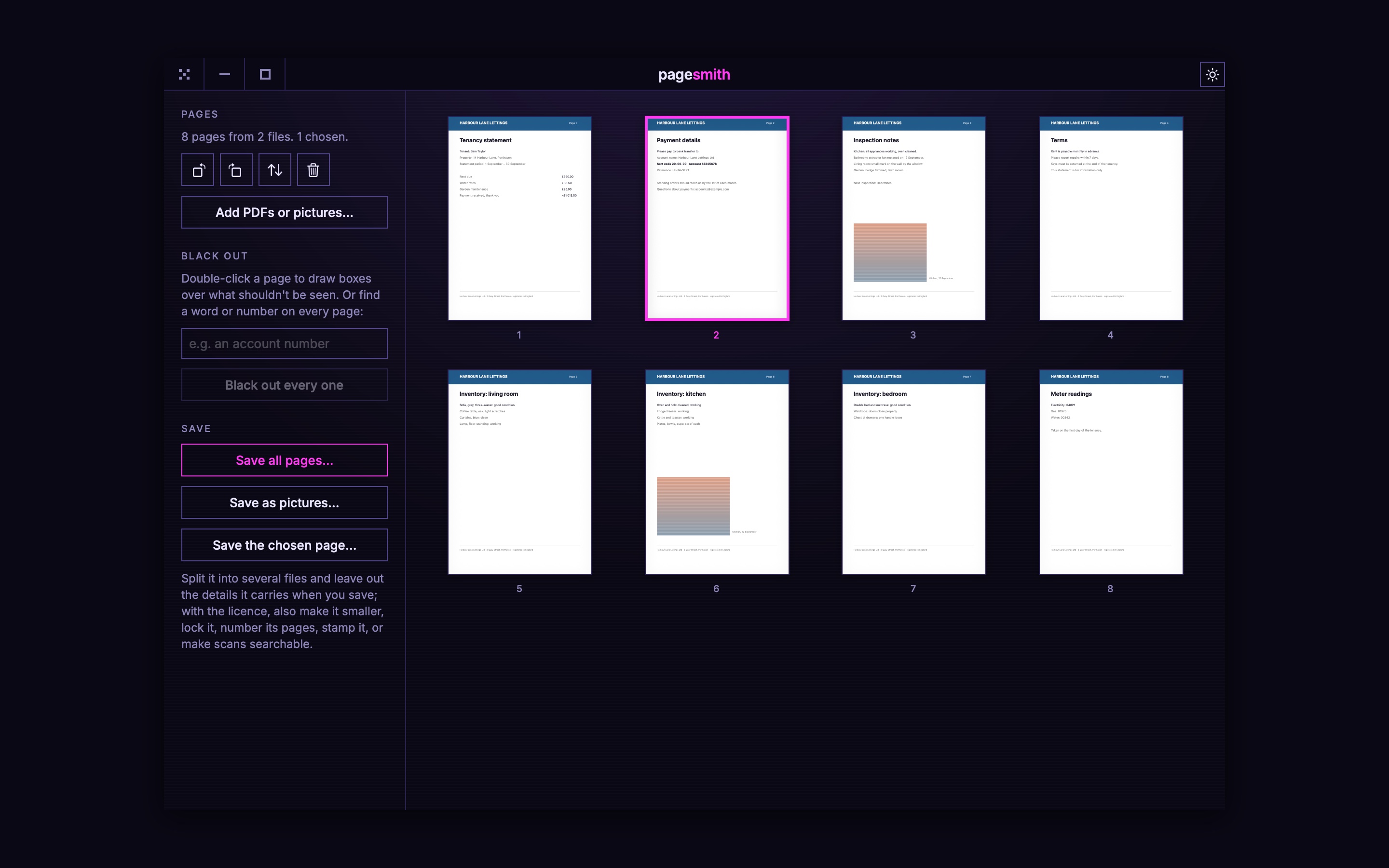
Every page in a grid: drag to reorder, turn, delete, reverse. Add more PDFs or pictures anywhere in the run, and split the result into files of any size.
[ pixellabs presents ]
PageSmith puts pages in order, merges and splits files, blacks out what mustn’t be seen so it’s really gone, makes files smaller, makes scans searchable, and strips what a file says about you. The basics are free. A licence, £4.99 once, adds the rest.
PDFs, scans and photos onto the window. Several at once are merged, in the order you drop them.
Drag pages into order, turn them, delete them, black out what shouldn't be seen. Every change can be undone.
One file or several, smaller, locked, numbered or stamped. The files you opened are never changed.
[ what it does ]
Every page in a grid: drag to reorder, turn, delete, reverse. Add more PDFs or pictures anywhere in the run, and split the result into files of any size.
Draw boxes by hand, or find every place a word or number appears. Blacked-out pages are saved as a picture of the page, so nothing under the boxes survives, then read back so they can still be searched.
Pictures inside are re-encoded and brought down to a sensible sharpness, the way Preview's Reduce File Size works but gentler. Text stays text: sharp and selectable.
The words on scanned pages and photos of pages are read on your Mac and laid invisibly over them, so you can search, select and copy from them.
Page numbers, CONFIDENTIAL or DRAFT across every page, and any page saved as a PNG or JPEG, for screens or for printing.
No uploads, no account. The title, author and other details a PDF carries are left out when you save, and you can lock the file with a password.
[ free, or licensed ]
One licence is you, on up to 3 of your Macs, for every PageSmith 1.x. No subscription, no account. The price includes any VAT or sales tax due where you live: Stripe sells it on PixelLabs’ behalf and takes care of that, so the price you see is the price you pay.
Your key is on the page the moment payment completes, and in an email. Paste it into PageSmith → Licence…. It works offline and is yours to keep.
[ what it can't do ]
That's what makes the blacking out certain. Their text is read back so they can be searched, but it's no longer the original text, and very small print may not read back perfectly.
Find and black out searches the text a PDF holds. Words that are part of a scan or photo have to be boxed by hand.
Scans and photos shrink a lot. A PDF that's all text is already small, and won't get much smaller.
PageSmith works on pages, not on the text inside them. To fill in a form or sign, Preview does that well.
A file locked with a password can't be opened without it, and nobody, PageSmith included, can get it back.
[ in the app ]
[ installing ]
The first time only, macOS needs telling that PageSmith is allowed.
Open PageSmith.dmg and drag PageSmith onto the Applications folder beside it.
Double-click PageSmith in Applications. macOS says it can't check it for malicious software, because it isn't signed with a paid Apple certificate. Choose Done, not Move to Bin.
System Settings → Privacy & Security, scroll down to Security, and click Open Anyway beside PageSmith. Confirm with Touch ID or your password, then Open.
Or, if you're happy in the Terminal, this does steps 2 and 3 in one go:
xattr -dr com.apple.quarantine /Applications/PageSmith.app
[ questions ]
Free, for good: open PDFs and pictures, reorder, turn, delete, merge, split and save, leaving out the details a file carries. The licence, £4.99 once, adds blacking out, smaller files, passwords, searchable scans, page numbers and stamps, and saving pages as pictures.
No. Everything, the text reading included, happens on your Mac. The only time PageSmith goes online is to check for its own updates, once a day, and only if you say it may.
Up to three of yours. It's one person, on up to 3 Macs they use, for every PageSmith 1.x. The same key goes into each, and nothing counts them: it's on trust.
A blacked-out page is saved as a picture of the page with the boxes burnt in, so the words under them aren't in the file at all, not hidden under a black rectangle the way some tools leave them. Check the result in Preview: searching for what you blacked out finds nothing.
Never, unless you choose to save over it. PageSmith reads the files you open and writes what you save as new files.
It's in the email you were sent, and on the page after you paid. If both have gone, email support@pixel-labs.dev from the address you paid with.